Introducing AgentKanban
AgentKanban is a context and workflow management tool for 'Human in the Loop' agentic software development. At its centre is a web app built around Kanban board task management, with an MCP server that lets any agent harness read and update the board.
There are two ways to connect an agent:
- The VS Code extension integrates with GitHub Copilot and Claude Code (other harnesses are in development). It loads task context into the agent with one click and, if you turn it on, captures your user / agent chat turns back to the task on agentkanban.io - so you can resume and manage context in later sessions, or just keep a record of decisions and progress. See VS Code Extension.
- MCP directly works with Claude Code in a terminal, Codex CLI, Cursor, Claude Desktop and anything else that speaks MCP. You give the agent a task ID and it fetches the rest from the board. See MCP Integration.
Note: AgentKanban is only active when working with a selected board and task. You can also opt not to work with an AgentKanban task and use your harness as normal (e.g. for small / trivial changes).
If you're already familiar with AgentKanban and just want to get set up, go to Getting Started.
AgentKanban boards
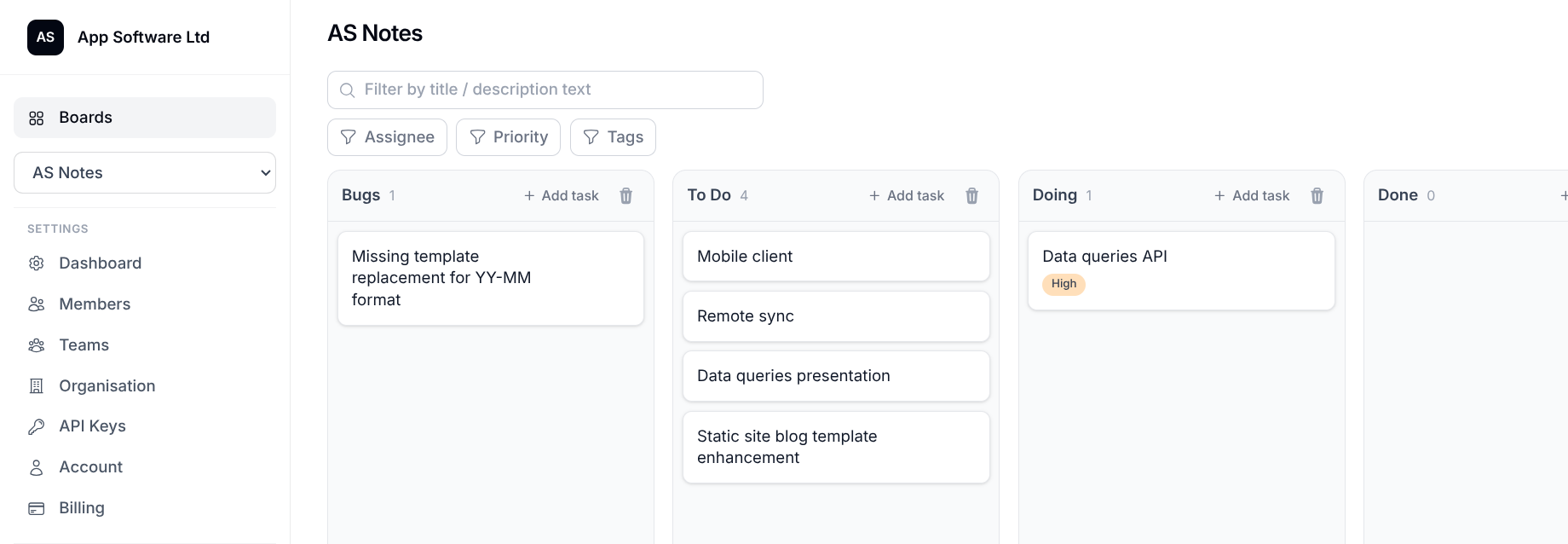
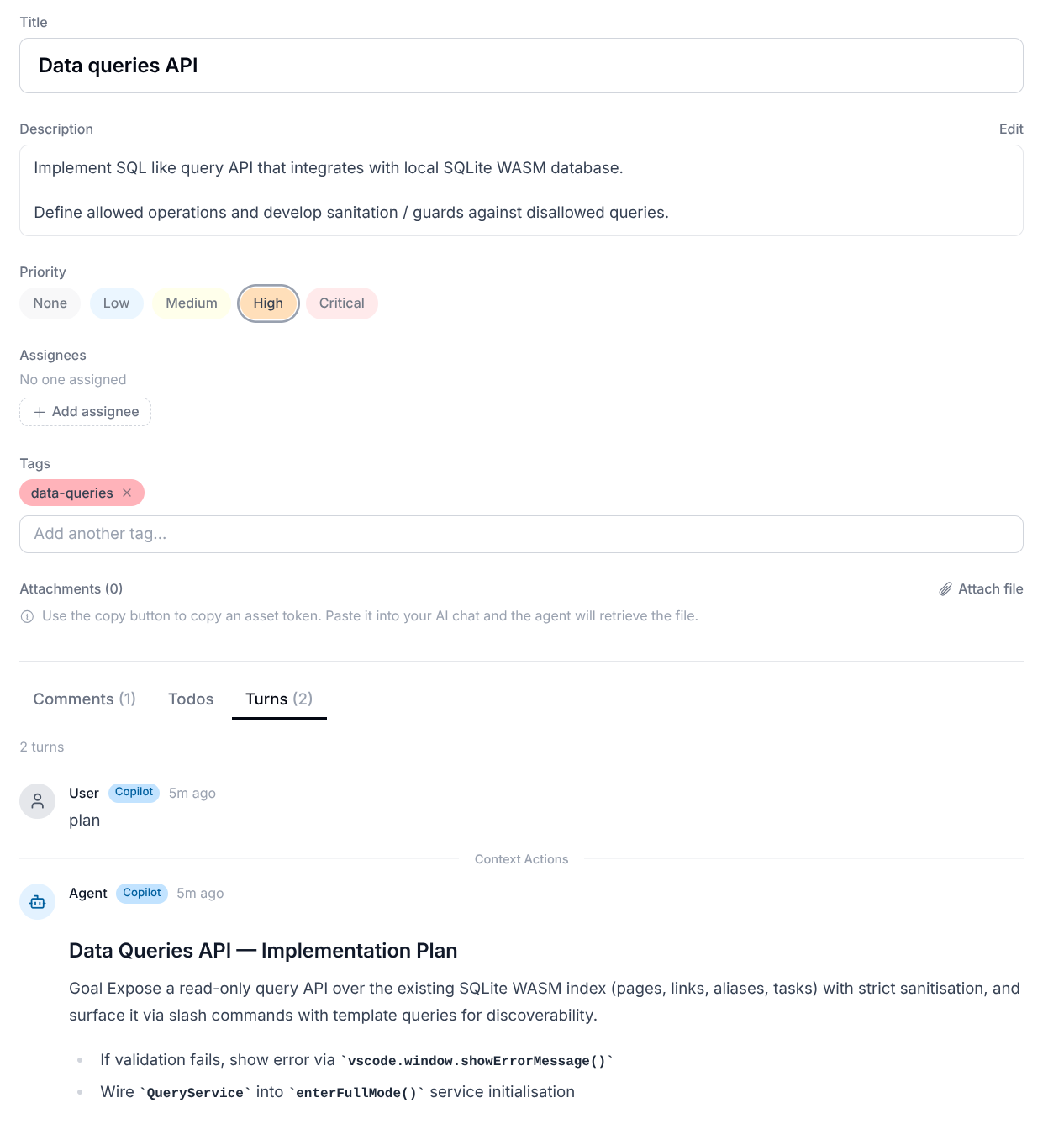
Tasks are created and edited collaboratively on AgentKanban task boards:
Kanban Board:
Task:
AgentKanban VS Code extension
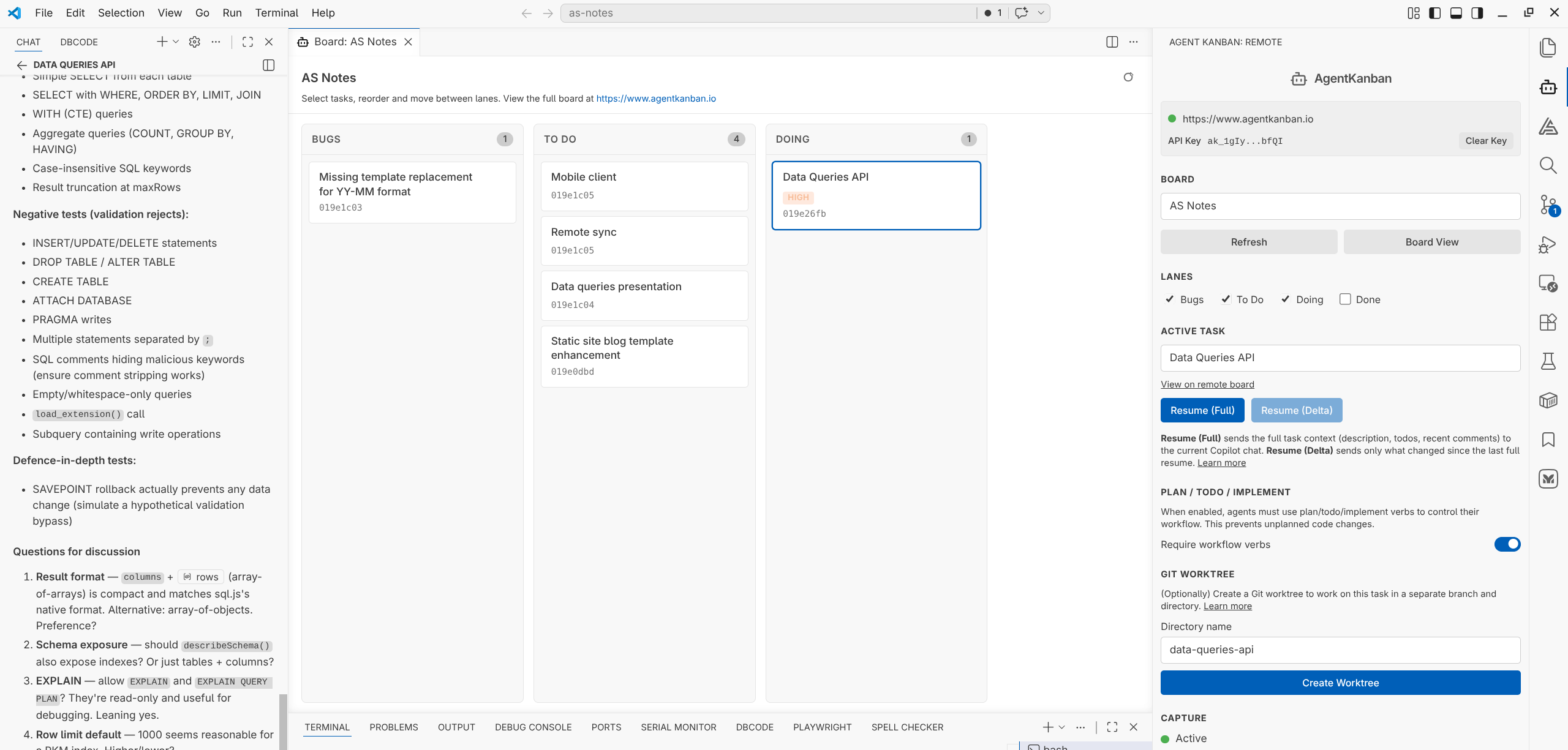
In VS Code, the extension (VS Code Marketplace / Open VSX Registry) connects to your boards with an API key. Task context is loaded into GitHub Copilot or Claude Code with the Resume buttons. Optionally use the PLAN TODO IMPLEMENT workflow and Git worktrees. User / agent turns are captured on the task for future context management (pin, fork, split, delete etc).
AgentKanban VS Code sidebar, board and supported agent chat:
Why AgentKanban
Agentic software development produces the best results when the workflow is structured and you have control over the context.
Workflow
The optimal workflow for large tasks when working with AI agents includes:
Planning
- Collaborative real-time multiplayer board management and task creation / editing for use in teams.
- A thorough planning phase clearly defined with an opportunity for the agent to ask clarification questions.
TODOs
- A 'TODO' phase where the agent breaks the task down into iterations and TODO items.
- Task assets management and storage.
Implementation
- The agent implements the plan according to the plan and TODOs, keeping TODOs up to date as work progresses.
How AgentKanban supports this workflow
General
- Bring your own agent harness. The VS Code extension supports GitHub Copilot and Claude Code; anything that speaks MCP can connect directly. Agent conversations happen in your harness chat as normal.
- MCP tools let your agent read and update tasks, TODOs and board memory directly. The extension configures them for you; other harnesses take a one-line config (see MCP Integration).
- Automatic deterministic capture of chat turns to the remote task. No manual copy/paste needed.
- Persistence of context for auditing and resuming work on tasks over multiple sessions.
- Provide extension access to boards via MCP and API endpoints, secured with API keys that facilitate granular, cumulative permission levels.
- Security: TOTP 2FA, backup codes, passkeys (WebAuthn / Touch ID / Windows Hello / security keys) supported.
- Webhooks for integration with your existing tooling and workflows (HMAC-SHA256 signed payloads).
Planning
- Manage user sharing, assignment, task priority, lane and ordering for board tasks to help you prioritise and schedule work.
- Battle tested agent instruction based on Matt Pockock's "Grill Me" skill that encourages a robust planning stage for non trivial tasks.
TODOs
- AgentKanban instructs your agent to manage TODOs on the board tasks. You can view and collaborate on TODO tasks before or during agentic workflows begin.
Implementation
- Your agent implements the agreed plan, keeping TODOs up to date as work progresses.
Context Management
AGENTS.md instructions in the task board settings
Write AGENTS.md instructions in the task board settings and they will be injected into an AgentKanban managed AGENTS.md section where ever the board and task is selected in the agent harness extension. This means you write AGENTS.md once per task board (which usually aligns with a project) and all users of the board benefit from the shared instruction. Your existing AGENTS.md instructions are respected and will remain outside of the AgentKanban managed section.
Capture, Resume, Fork, Split, Pin and Delete agent context
AgentKanban captures conversational user / agent context without the bloat (tool use etc) allowing you to clear context and resume in new chat sessions to keep the context fresh when working on long running tasks or picking up tasks for re-work. See Agent Context Management and VS Code Extension for more information.
Memory capture on the task board
AgentKanban will prompt your agent to record information as memory as it discovers durable technical context, conventions, or decisions that should be preserved beyond the current task.
Get Started
Ready to get started? See Getting Started for setup instructions.