VS Code Extension
The VS Code extension is the fullest integration. It connects your workspace to a board, keeps an AGENTS.md section up to date with the selected task, loads task context into GitHub Copilot or Claude Code with one click, and (if you turn it on) captures your chat turns back to the task.
If you'd rather use an agent harness outside VS Code (Claude Code in a terminal, Codex CLI, or anything else that speaks MCP), see MCP Integration instead. Both routes use the same MCP server and the same API key.
What the extension does
- Board and task selection from the sidebar. The selected task is what everything else attaches to.
AGENTS.mdmanagement. A managed section in your workspaceAGENTS.mdcarries the task title and UUID, the board's agent instructions and MCP tool references. Your own content outside that section is left alone.- MCP configuration. On setup it writes
.vscode/mcp.json(for Copilot) and.mcp.json(for Claude Code) so the agent can read and update the board directly. No manual MCP setup needed. - Resume. Loads the task description, comments, captured history and todos into a fresh agent session.
- Turn capture (opt-in). Records your prompts and the agent's responses to the task on the board.
- Local board documents. Board memory and the technical document are synced to
.agentkanban/MEMORY.mdand.agentkanban/TECHNICAL.mdso agents can read them as plain files. - Git worktrees. One worktree per task, with the board / task binding pre-configured. See Git Worktrees.
Supported agents are GitHub Copilot and Claude Code. Other harnesses are on the Roadmap.
Install
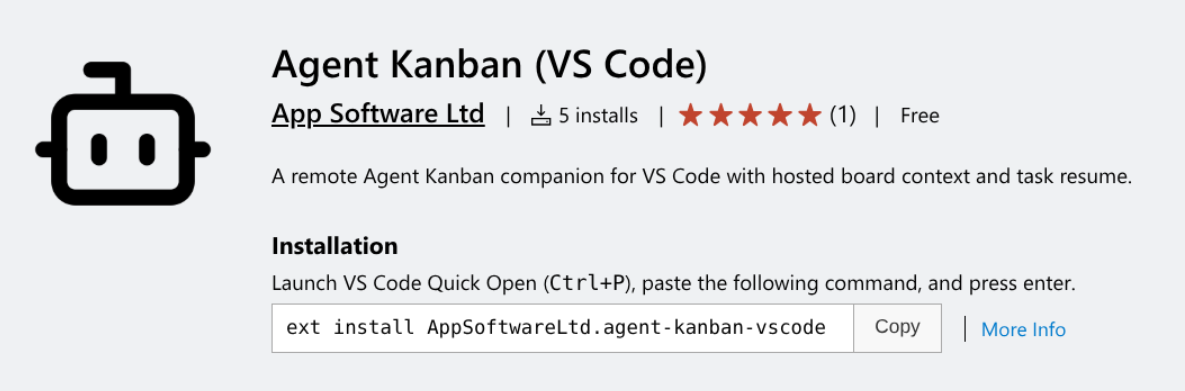
Install from the VS Code Marketplace or the Open VSX Registry.
The extension also works in VS Code forks such as Google Antigravity, Void Editor and Windsurf Editor.
Connect with an API key
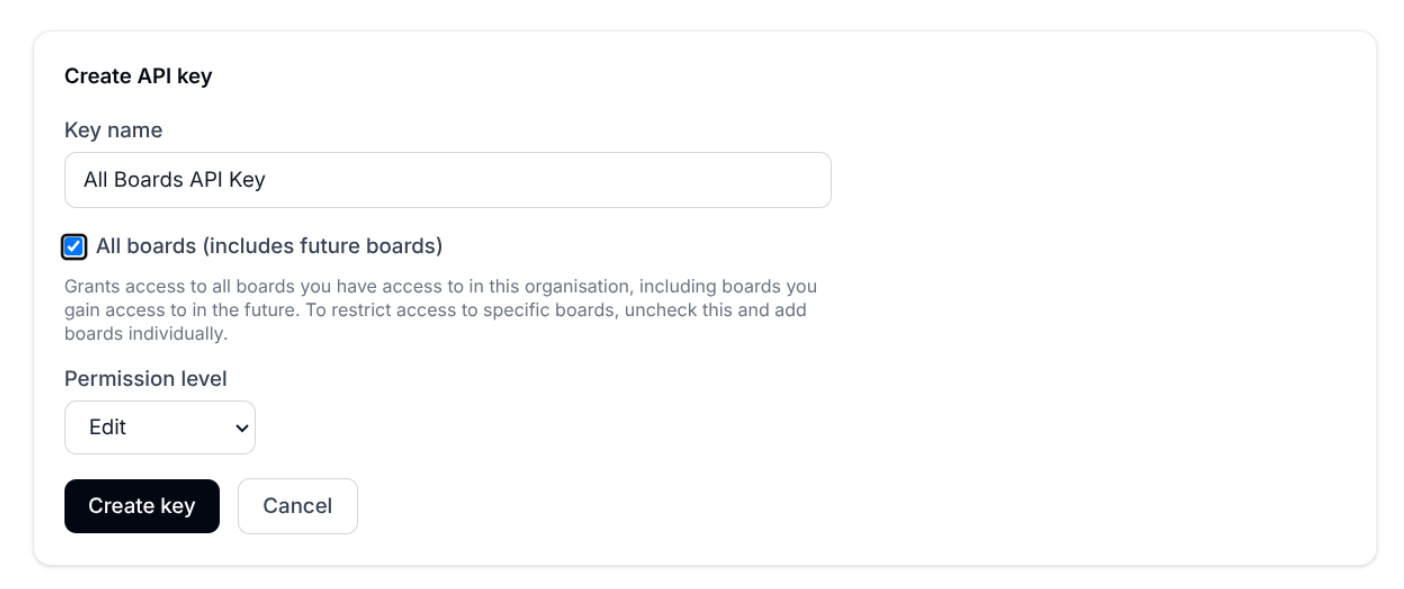
Create an API key in the web app (an All boards, Edit key is the sensible default - see API Keys) and copy it.
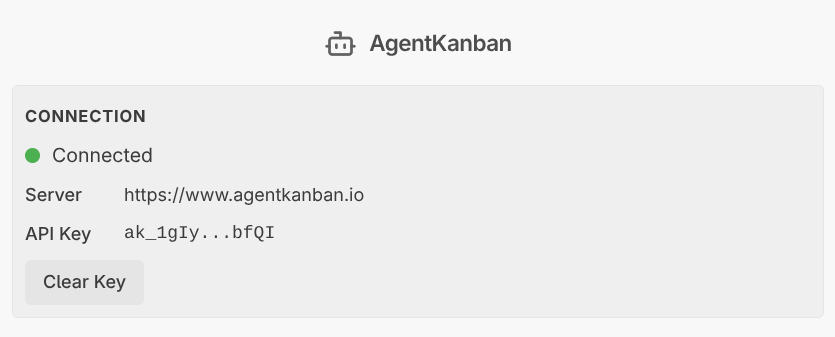
Open the AgentKanban sidebar and paste the key. The extension stores it in VS Code's secret storage and writes the MCP config files for both supported agents.

The generated .vscode/mcp.json and .mcp.json contain the raw key, so add them to .gitignore if the workspace is shared. (Why the key is written in plain text rather than referenced indirectly is explained in the technical notes - in short, VS Code doesn't expand command variables in MCP headers.)
Select a board and task
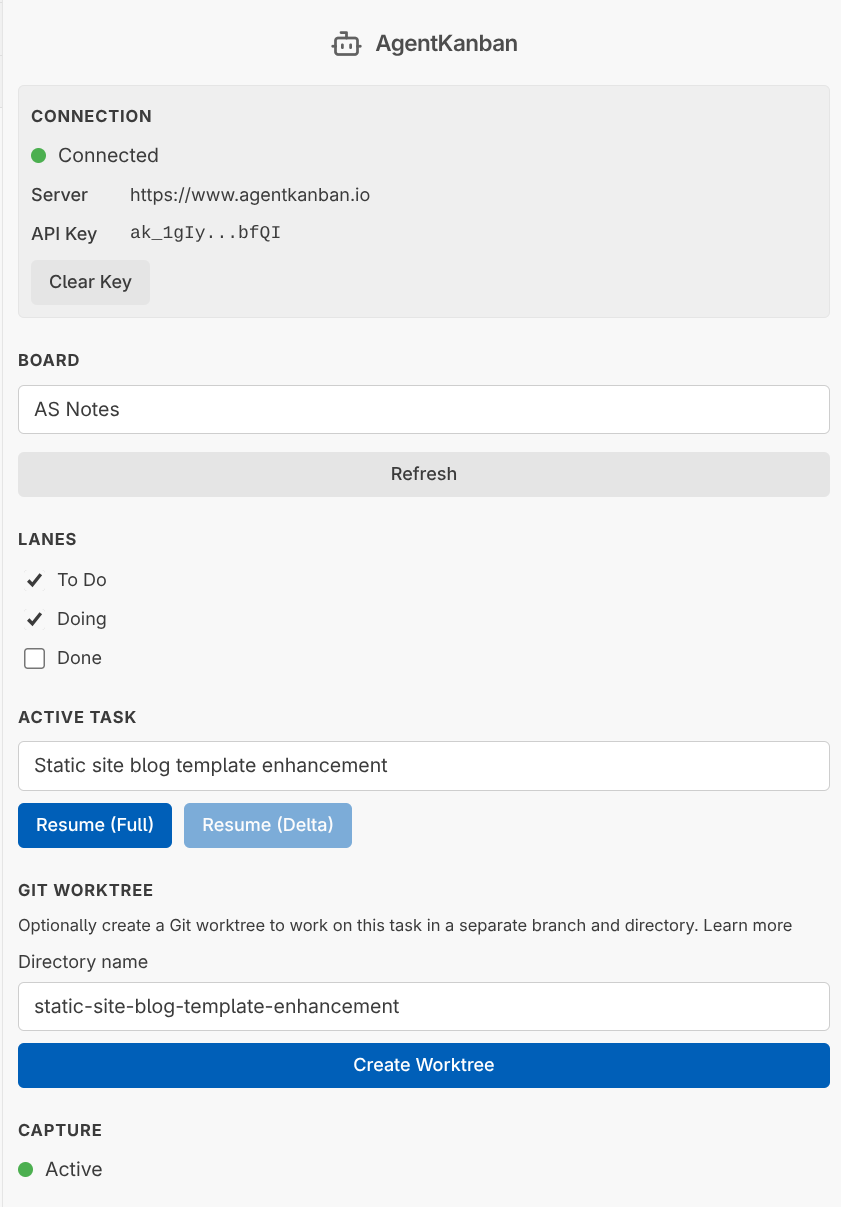
Pick a board, then a task. The AGENTS.md section and the local board documents update immediately.
There's a Clear link next to the task selector for when a task is still selected from a previous session and you don't want the next conversation attributed to it.
Resume a task
The sidebar shows Resume in Copilot Extension, Resume in Claude Extension, or both, depending on which agent extensions you have installed.
- Copilot: the
@kanbanchat participant injects board memory, the task description, timeline and todos into Copilot Chat. You can also type@kanban /resumeyourself. - Claude Code: the extension opens Claude Code in the sidebar and puts a resume prompt on your clipboard. Paste it and Claude pulls the task context itself over MCP.
Resume is always the full task context. See Agent Context Management for how to curate what gets resumed (pin, fork, split, delete turns).
Turn capture
Turn capture is off by default and is enabled per workspace with the toggle in the sidebar's Turn Capture section. The choice is remembered for that workspace.
A few things worth knowing:
- Capture starts from the moment you enable it. Nothing said earlier in a session is read.
- Turning it off stops reading immediately. Turns already captured still finish uploading.
- Both Copilot and Claude Code are captured. Claude Code is captured by watching its session transcript, so it works whether Claude runs in the Claude extension, the integrated terminal or an external terminal - as long as VS Code is open on the workspace.
- If a task is selected while capture is off, the extension warns you on startup and offers to enable capture or clear the selection.
Captured turns appear on the task in the web app, where you can pin, fork, split and delete them.
Assets
If a task has files attached, copy the asset token from the task page and paste it into the chat. The agent retrieves the file over MCP with download_asset.
Commands
| Command | Purpose |
|---|---|
Agent Kanban: Setup Remote Connection |
Configure server URL, API key and board |
Agent Kanban: Select Remote Board... |
Switch board |
Agent Kanban: Select Remote Task... |
Pick the active task |
Agent Kanban: Clear Selected Task |
Drop the current task binding |
Agent Kanban: Open Board View |
Open the board inside VS Code |
Agent Kanban: Create Worktree / Delete Worktree |
Manage per-task worktrees |
Agent Kanban: Uninitialise |
Remove the managed AGENTS.md section, stored key, MCP config and workspace state |
Settings
| Setting | Default | Description |
|---|---|---|
agentKanban.enableLogging |
false |
Diagnostic file logging |
agentKanban.worktreeRoot |
../{repo}-worktrees |
Where worktrees are created ({repo} = workspace folder name) |
Related guides
- MCP Integration - the same board tools without the extension
- Git Worktrees - one worktree per task
- IDE Remote Mode - working against a remote workspace
- Agent Context Management - curating what your agent resumes